
How it works
How you work with PappAI
From the first appointment to weekly plan management: a concrete walkthrough of the nutritionist and patient workflows, and where AI fits in.

01 · The system
Two connected workflows, one platform
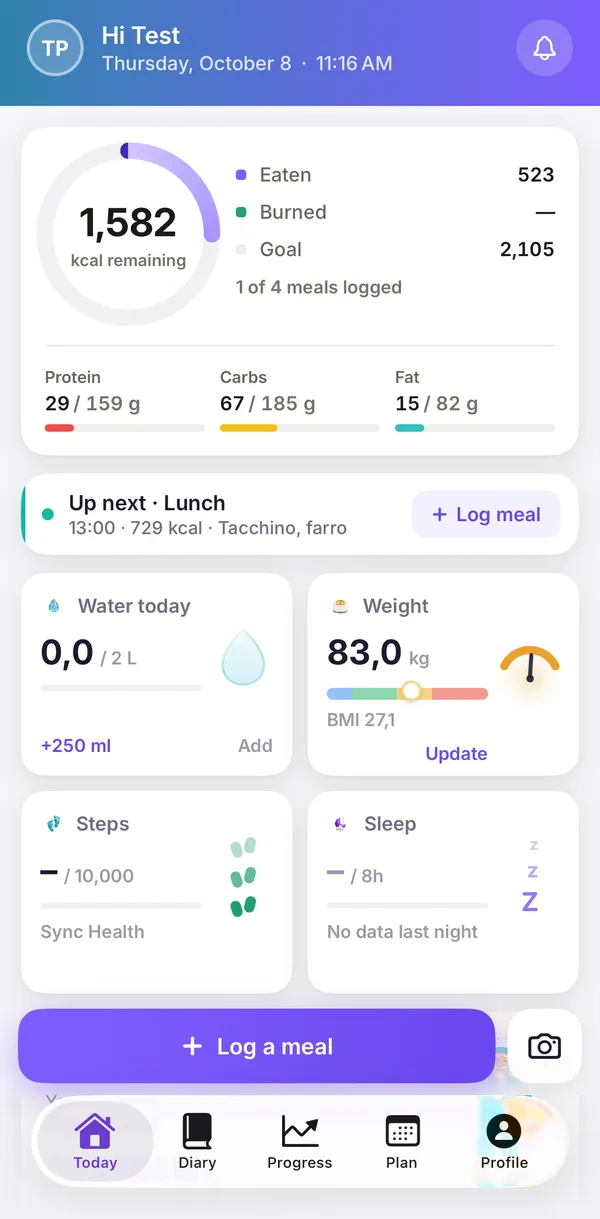
PappAI connects the nutritionist's clinical work with the patient's daily routine. The nutritionist uses the web platform to manage records, build plans and review updates. The patient uses a companion mobile app to log meals and progress notes between appointments. Everything flows into a single shared workspace.

02 · Nutritionist workflow
From first visit to plan

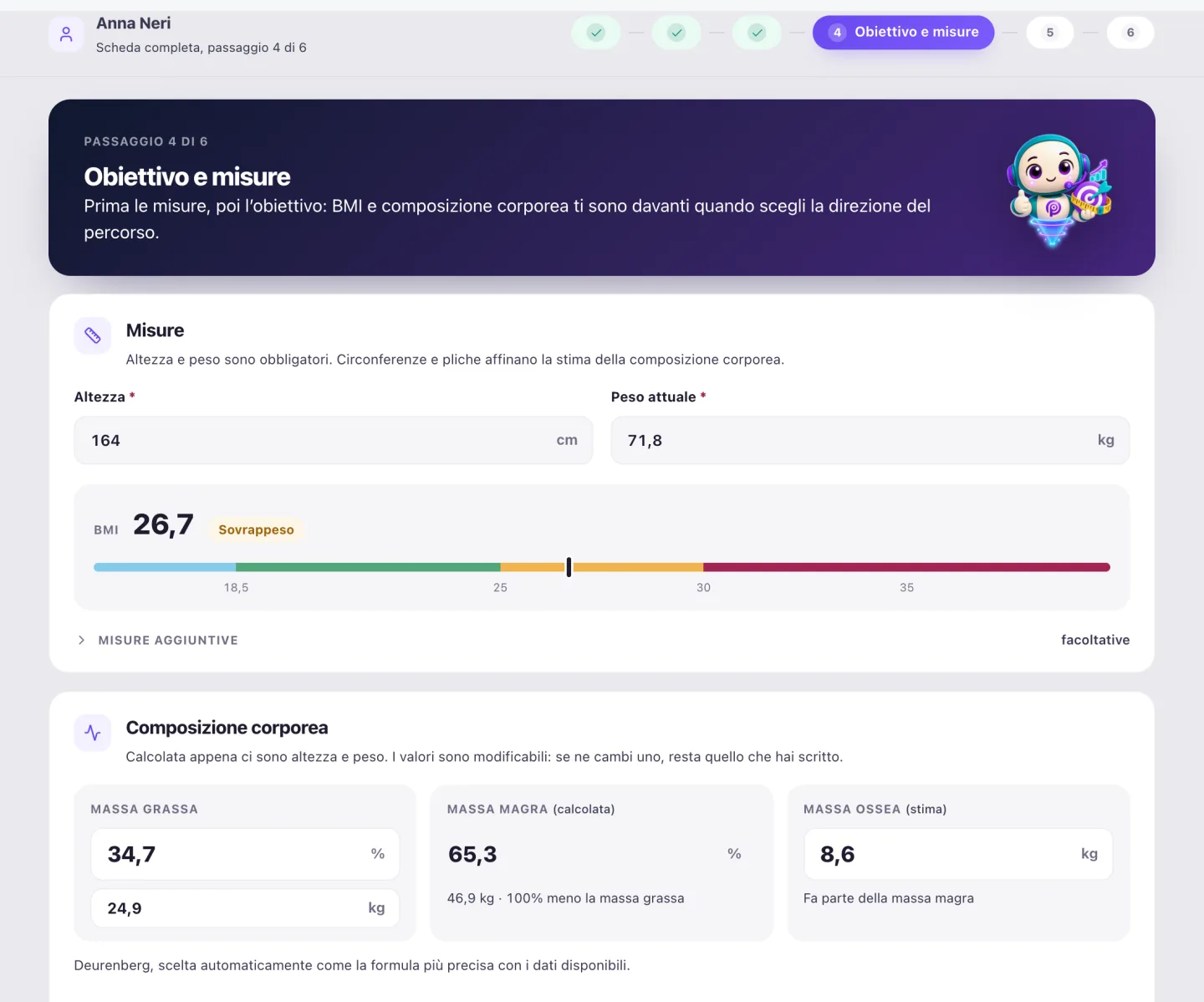
Create the patient record
The nutritionist enters anthropometric data, health history, dietary habits, goals and any dietary constraints. The system organises all information in a single structured patient record.

Calculate requirements and targets
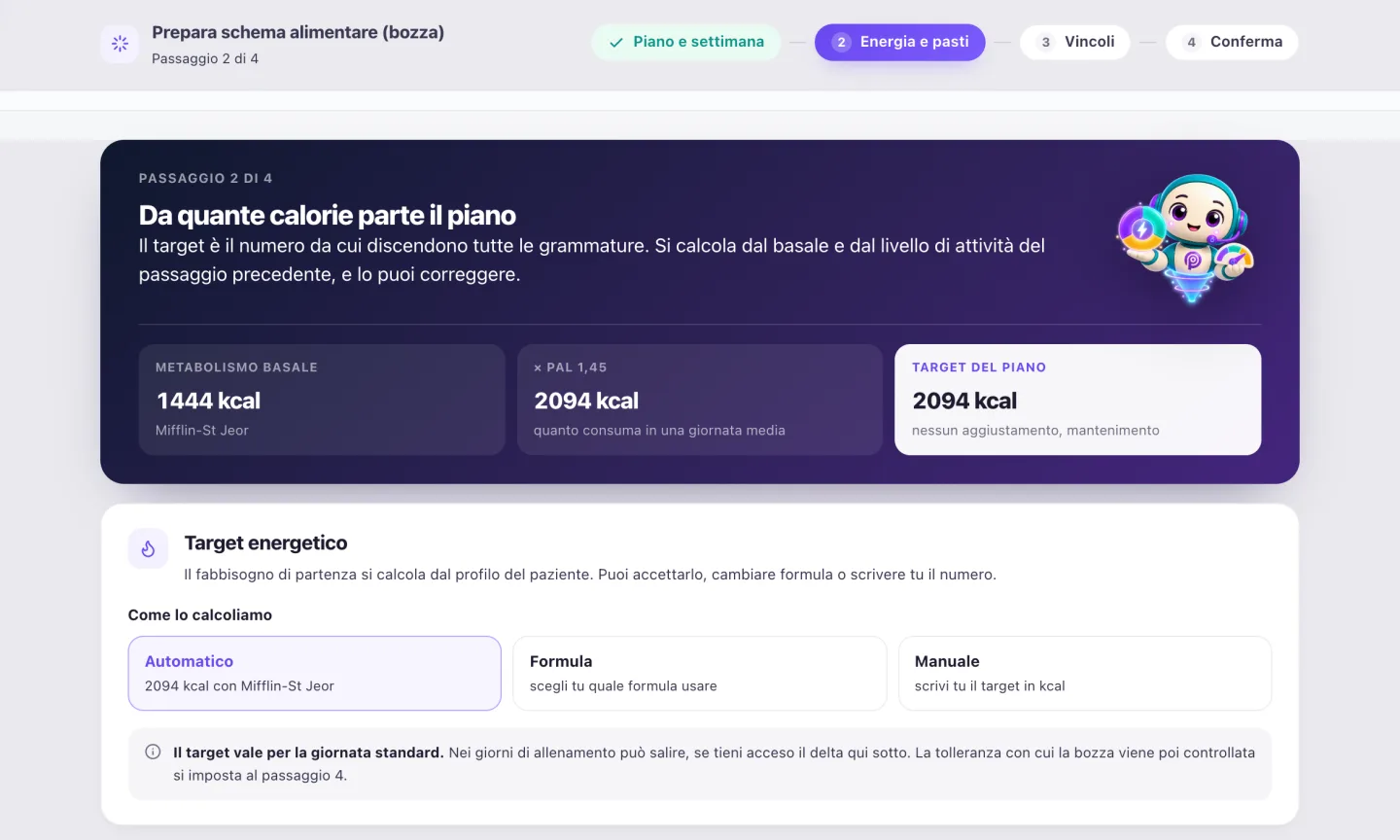
The platform automatically calculates basal metabolic rate, total energy requirements and macronutrient distribution based on the patient profile and the selected formula.
Build and approve the diet plan
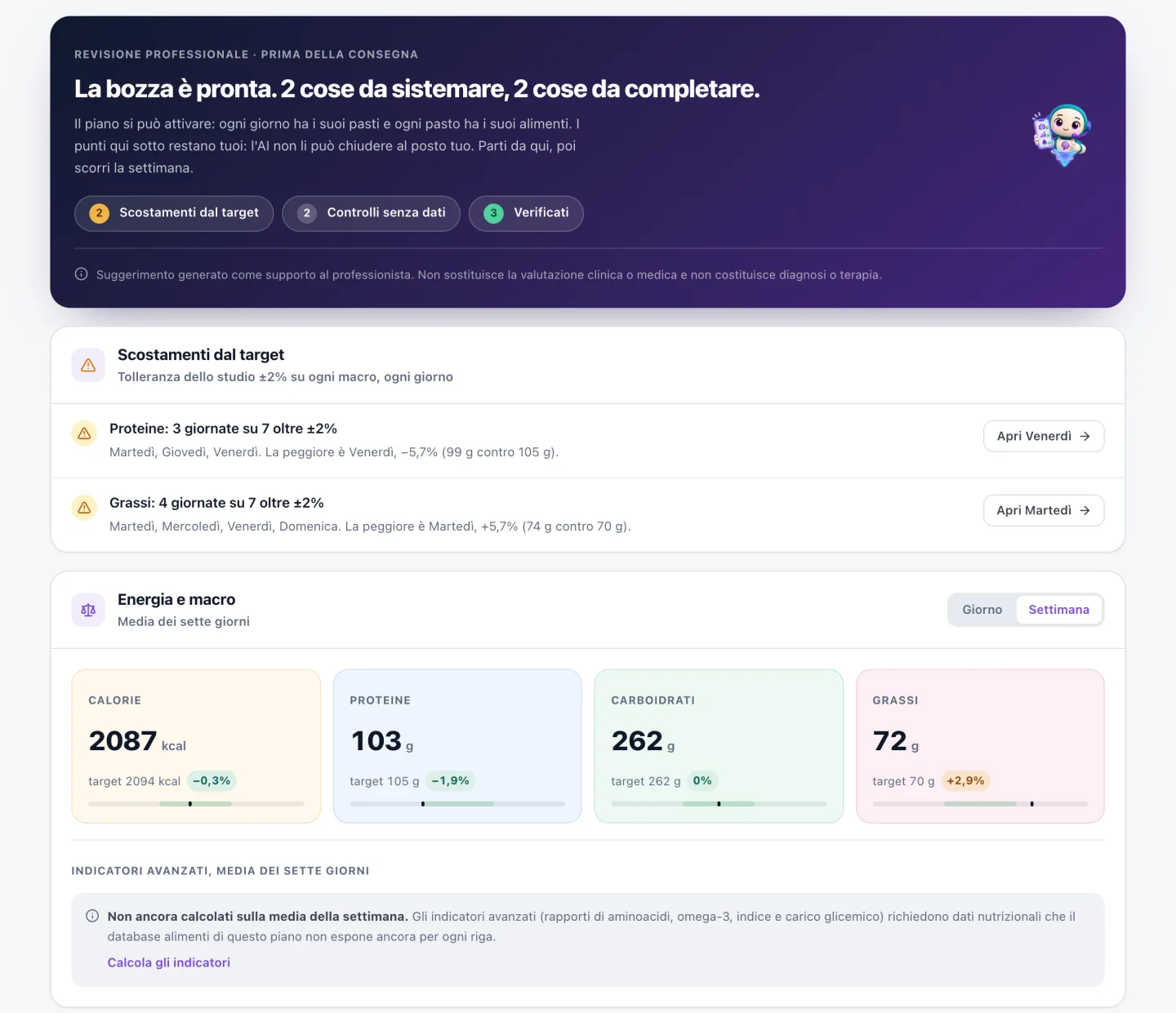
The AI suggests foods compatible with the patient profile. The nutritionist selects, adjusts and approves each item. Nothing is shared with the patient until the professional signs off.
Review updates between appointments
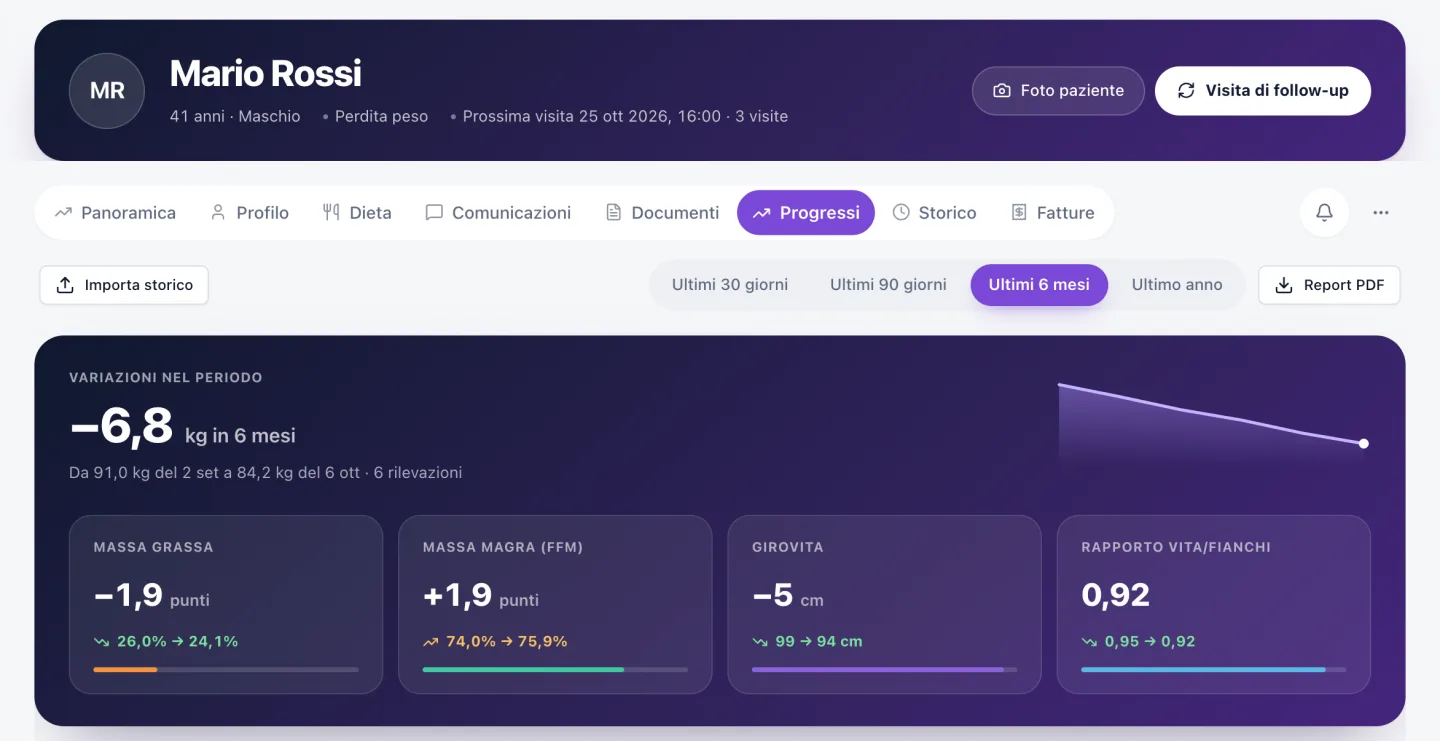
As the patient logs meals and progress notes via the mobile app, the data becomes available in the nutritionist's dashboard. The professional reviews it and decides whether to intervene before the next appointment.
03 · Patient workflow
The patient companion app
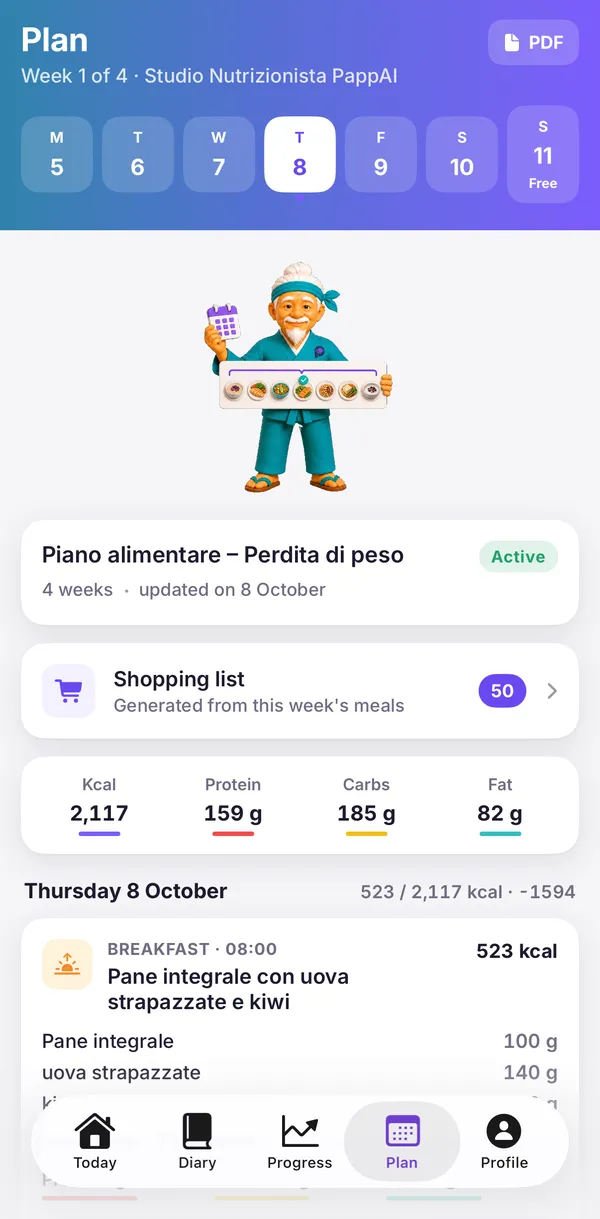
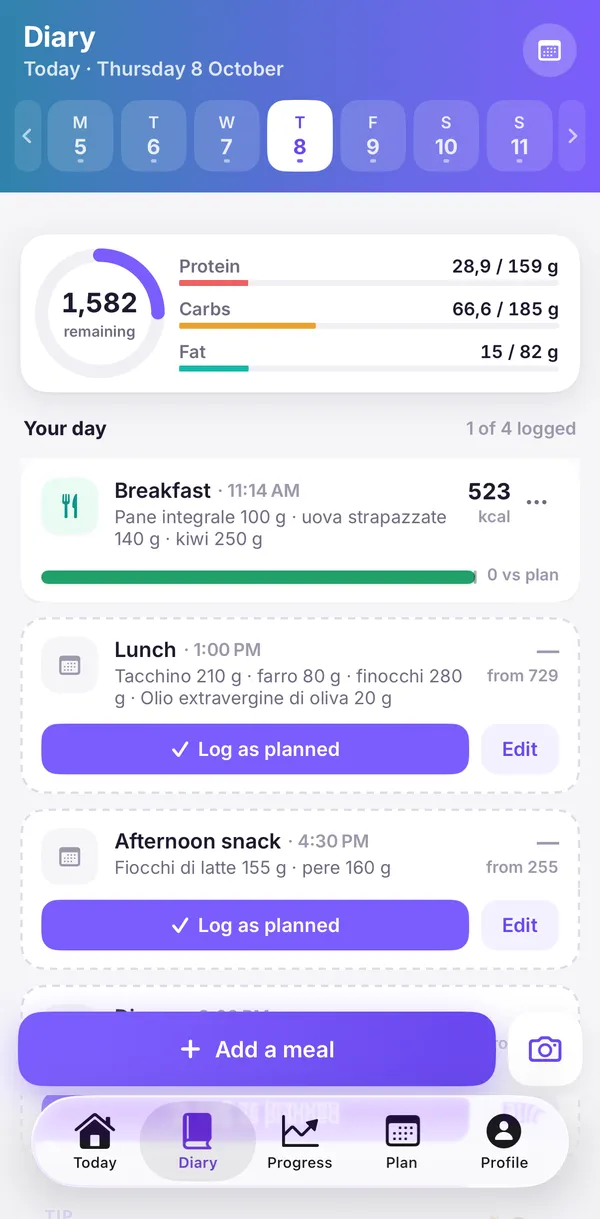
After the appointment, the patient receives access to the mobile app. No clinical decisions are made in the app, it is a logging and communication tool.

01
Access the assigned plan
The patient views the diet plan created and approved by the nutritionist. The plan is read-only: only the nutritionist can modify it.

02
Log meals and notes
The patient logs meals consumed and can add progress notes such as weight and observations. The app is for logging: nutrition guidance always comes from the professional.

03
Data reaches the nutritionist
Logged entries are available in the nutritionist's dashboard. The professional consults them between appointments and decides whether any adjustment to the plan is needed.
04 · Artificial intelligence
What the AI does
AI in PappAI is a drafting and suggestion tool. It works under the supervision of the nutritionist, who always retains final authority over the plan.

Plan building assistance
The AI can generate a draft weekly plan or suggest foods that match the patient's nutritional profile. The nutritionist reviews, modifies and approves every element before it is used.
Nutritional consistency check
The system can flag potential nutritional imbalances in the plan. The flags are there to be assessed, and the plan only changes when the professional edits it.
Always a starting point
All AI-generated content is presented as a starting point. The nutritionist is responsible for verifying, adjusting and approving the final plan before sharing it with the patient.
PappAI is not a medical device. AI-generated content must always be reviewed and approved by a qualified nutrition professional.
Professional responsibility
Every plan reaches the patient only after your OK
PappAI does not provide medical diagnoses, therapeutic indications or prescriptions. The system suggests options and highlights potential issues. The nutritionist validates every plan. Clinical responsibility lies entirely with the qualified professional.
05 · Scientific sources
Where the numbers come from
Food nutritional values are drawn from publicly available scientific databases. Each food retains traceability to its original source.












Public databases cited as sources. No affiliation with the organisations that publish them.
Join the PappAI beta
Leave your professional email. We'll contact you for a private demo and to activate your practice.
Quick setup · Cancel anytime